THANK YOU FOR SUBSCRIBING
× 
Enterprise Security Mag Weekly Brief
Be first to read the latest tech news, Industry Leader's Insights, and CIO interviews of medium and large enterprises exclusively from Enterprise Security Mag

The Increasing Need for Email Security Today
Enterprise Security Magazine | Monday, March 28, 2022
Phishing emails, for example, may deceive users into disclosing personal information, accepting false bills, or downloading malware that might infect the company’s network.
FREMONT, CA: The COVID-19 pandemic has forced everyone to accept a ‘new normal.’ Many employees have been directed to work from home, either over a business network or a network connected to a cloud-based system. While working remotely imparts many benefits in terms of safety, confidence, and reduced staff turnover, it has also injected new challenges for businesses, the most important of which is email security.
Stay ahead of the industry with exclusive feature stories on the top companies, expert insights and the latest news delivered straight to your inbox. Subscribe today.
Because of cyber risks such as social attacks that target enterprises via email, email protection is essential. Phishing emails, for example, may deceive users into disclosing personal information, accepting false bills, or downloading malware that might infect the company’s network.A successful phishing assault can cause substantial downtime, irreversible reputation harm, and financial loss for enterprises of all sizes.
Here are some steps that businesses of all sizes can take to protect their systems, users, and data from ransomware, phishing, and other tenacious email threats.
Implement A Proactive Cloud Email Security Strategy That Is Threat-Ready: The only powerful action businesses can take to secure remote workers, and sensitive data is implementing a complete, layered cloud email security system that seamlessly mixes default cloud email protection with robust additional security defenses. Defense-in-depth is critical in fortifying cloud email against advanced, developing attacks; the built-in security protections available to Office 365 and G Suite users alone are insufficient in protecting enterprises’ important assets and reputation.
Users Should Think Before Clicking: Take the time to carefully consider each email you receive before clicking on any links, downloading attachments, or otherwise dealing with it. Consider the following scenario: Does one have an order confirmation email corresponding to a recent transaction made? Is the sender’s and recipient’s addresses correct? Is it possible that an offer is too good to be true? Make a call to the sender to confirm the veracity of the email if anything appears odd. It is always better to be guarded than sorry in a circumstance like this.
More in News
Risk and compliance management has become an important part of running a business. Organizations face a range of challenges that can affect their finances, reputation, security and ability to serve customers. Some risks develop within the business, while others come from suppliers, technology partners and changing market conditions. Keeping track of these concerns requires more than occasional reviews or routine checks.
Risk and compliance management helps businesses understand what could go wrong, where weaknesses exist and what needs attention. It covers areas such as risk assessments, internal controls, policy management, audits, cybersecurity oversight, supplier reviews and incident reporting. When these activities work together, leaders have a clearer picture of the issues affecting their organizations and can make better decisions.
The growing dependence on digital systems has made this work more demanding. Businesses now rely on cloud platforms, connected applications, external service providers and large volumes of information. These arrangements offer flexibility, but they also create additional points of exposure. A security problem, service interruption or failure by an external partner can quickly affect business activities.
A More Connected Approach to Risk
Risk management was once handled largely through separate departments. Compliance teams focused on policies and internal requirements, while security professionals monitored technical threats and auditors reviewed controls. Procurement teams had their own processes for checking suppliers. Although each function served a purpose, keeping their findings separate made it difficult to understand the wider picture.
Businesses are now placing greater importance on bringing these responsibilities closer together. Risk management platforms help teams maintain records, review controls, monitor incidents and follow up on unresolved issues in a shared environment. This makes it easier to identify recurring problems and understand how a weakness in one area could affect another.
“Risk and compliance management is most valuable when it becomes part of how a business operates, rather than a task performed only when a review or audit is due.”
Technology is also changing how teams handle routine compliance work. Automated tools can help review documents, track policy changes, organize evidence and identify unusual activity. These capabilities reduce some of the administrative work that takes up valuable time. However, technology cannot replace professional judgment. Employees still need to examine findings, understand their relevance and decide how the organization should respond.
Good risk management also depends on having reliable information. When departments use different definitions, maintain incomplete records or fail to update their assessments, even well-designed systems can produce an inaccurate picture. Businesses must pay attention to the quality of their information and make sure responsibility for maintaining it is clearly assigned.
Supplier Relationships Need Closer Attention
External suppliers and service providers have become an important part of business risk management. Organizations depend on outside partners for technology, logistics, data storage, payment services and other essential activities. While these relationships can support business growth, they also create risks that companies cannot manage through internal controls alone.
A supplier's security practices, financial position and ability to maintain services can directly affect the organization it supports. Businesses therefore need to look beyond the initial selection process. Reviewing suppliers before entering an agreement is important, but that responsibility should continue throughout the relationship.
Clear expectations help prevent misunderstandings. Suppliers should understand their responsibilities, while internal teams must know who oversees the relationship and how concerns should be addressed. Regular assessments can reveal changes in a provider's security practices, business conditions or ability to meet agreed requirements.
Organizations should also consider how much they depend on particular providers. Heavy reliance on a limited group of suppliers can create difficulties when services become unavailable or business relationships change. Having a clear understanding of these dependencies helps leaders prepare alternatives and reduce unnecessary disruption.
Building Stronger Risk Management Practices
Choosing the right technology is only part of the process. Many businesses already use several systems to manage security, compliance, procurement and internal reporting. Introducing another platform without considering how it will work with existing tools can create more administrative work rather than solve existing problems.
Successful implementation starts with understanding how the organization currently manages risk. Leaders need to identify gaps, agree on responsibilities and decide which issues deserve the most attention. Employees should also understand the policies they are expected to follow and how their everyday decisions can affect the wider business.
Mature risk management programs focus on whether controls actually work, not simply whether documents have been completed. A supplier assessment may be on file, but that does not automatically mean the relationship is secure. Similarly, closing an audit finding is not enough if the underlying problem remains unresolved.
Useful reporting also matters. Senior leaders need information that explains where the organization is exposed, what has changed and whether corrective action is making a difference. Too much information can make important concerns harder to recognize, so reporting should remain clear and relevant to business decisions.
The future of risk and compliance management will depend on how well organizations connect technology, governance and everyday business responsibilities. Cybersecurity, supplier oversight and the growing use of automated systems will continue to require attention. Businesses will also need to examine how information is collected, shared and protected.
Risk cannot be removed entirely, and no system can guarantee that problems will never occur. However, organizations that understand their vulnerabilities and take responsibility for addressing them are better prepared to respond when conditions change. Risk and compliance management is most valuable when it becomes part of how a business operates, rather than a task performed only when a review or audit is due. ...Read more
Getting a shipment from a warehouse to its destination rarely depends on one decision. Behind every delivery are arrangements involving carriers, drivers, schedules, routes and receiving facilities. When one part falls out of place, the effects can reach customers, suppliers and other parts of the supply chain. Transportation management brings these moving parts together, helping businesses organize the movement of goods while keeping delivery commitments and operating costs in view.
As companies serve wider markets and deal with changing customer expectations, transportation has become an important part of day-to-day business operations. A delayed shipment can affect production schedules, leave shelves unstocked or disrupt an order that a customer is waiting to receive. Managing transportation well means understanding how each movement fits into the wider flow of business.
Coordination of Transportation Operations
Every shipment comes with its own requirements. The destination, size and nature of the goods, delivery deadline and available transportation options all influence how a journey should be arranged. Businesses need to weigh these considerations before choosing a carrier, planning a route or consolidating shipments. A decision that works for one delivery may not be suitable for another.
Carrier relationships also have a direct bearing on how reliably goods reach their destinations. Businesses often work with several transportation providers, each serving different routes or handling particular types of shipments. Clear communication about schedules, handling requirements and delivery expectations helps avoid confusion along the way. Regular discussions about service quality also give businesses an opportunity to address recurring delays and reconsider arrangements when a carrier no longer meets their requirements.
Route planning calls for similar attention. Traffic, road restrictions, weather conditions and unexpected disruptions can all change the time and cost involved in a delivery. Transportation teams need to account for these possibilities and remain prepared to adjust arrangements when circumstances change. Keeping drivers, dispatch teams and receiving facilities informed helps prevent one delay from creating several more.
Operational Visibility and Transportation Cost Management
Knowing where goods are and when they are likely to arrive makes a considerable difference to daily operations. Without reliable shipment information, businesses may struggle to update customers, arrange receiving schedules or respond when something goes wrong. Transportation management systems help bring shipment tracking, scheduling, documentation and carrier information into a shared working environment.
“You must have a strong trust from your organization’s top management”
The usefulness of these systems extends beyond knowing a shipment's location. Delivery records and operating information can help managers understand where delays occur, which routes create recurring problems and how effectively vehicles are being used. Looking at these details over time makes it easier to identify areas where transportation arrangements need attention.
Cost control requires a similarly broad view. Freight charges, fuel, vehicle maintenance, labor and empty return journeys all contribute to transportation expenses. Cutting costs in one area does not always produce savings across the operation. Choosing a cheaper carrier, for example, may prove expensive if unreliable deliveries lead to missed schedules and additional handling. Businesses benefit from considering transportation costs alongside service quality and the requirements of their customers.
Shipment consolidation and better vehicle utilization can also help reduce unnecessary expenditure. When deliveries heading towards similar destinations can be coordinated, businesses may avoid sending partially loaded vehicles on separate journeys. Such decisions require careful scheduling, since savings are only worthwhile when they do not compromise delivery commitments.
Adapting Transportation Strategies to Evolving Supply Chain Requirements
Transportation rarely follows a fixed routine. Customer demand changes, suppliers experience delays and weather or infrastructure conditions can interfere with planned journeys. Businesses need arrangements that can accommodate these developments without losing sight of their delivery obligations. Having alternative carriers, reviewing schedules and maintaining communication with partners can make it easier to manage unexpected disruptions.
Technology is providing additional support in this area. Route optimization tools help identify suitable travel paths, while automated scheduling can assist with coordinating vehicles and delivery requirements. Predictive systems can also highlight potential delays and give transportation teams an opportunity to prepare. These tools are useful, but decisions still depend on people who understand the practical circumstances of a shipment and can judge when plans need to change.
Environmental considerations are also finding a place in transportation decisions. Businesses are paying closer attention to fuel consumption, vehicle utilization and the distance goods travel. Better route planning and fewer unnecessary journeys can help reduce both operating expenses and environmental impact. Electric vehicles and alternative fuels are creating further possibilities, although their suitability depends on infrastructure, delivery distances and the type of transportation involved.
Transportation cannot be managed in isolation from the rest of the supply chain. Warehouses need to know when goods will arrive, procurement teams must account for supplier deliveries and customer service teams need accurate information to manage expectations. When these departments share information, businesses can coordinate inventory, dispatch and delivery schedules more effectively.
Good transportation management comes down to keeping these responsibilities connected. Careful planning, dependable carrier relationships, useful technology and timely decisions all contribute to getting goods where they need to be. As supply chains continue to expand and customer expectations evolve, businesses will depend on transportation operations that can adapt to changing conditions while keeping reliability and efficiency at the center of every delivery. ...Read more
As companies expand their cloud operations, keeping security settings consistent becomes harder. Older applications may run alongside newer containerized workloads, often with different configurations. Even firewall rules can vary between platforms, making it harder for security teams to monitor activity and respond to incidents. The goal is to keep these controls consistent as infrastructure changes without slowing down application delivery.
Managing cloud resources manually makes this difficult. When administrators work through separate cloud consoles, settings can differ from one deployment to the next. These differences may go unnoticed until applications are running. Infrastructure as code addresses this problem by using repeatable configurations to define cloud resources. Security checks built into deployment pipelines can catch errors before they reach production. The checks themselves need regular testing and updates as cloud environments evolve.
Hybrid environments present another challenge. Security tools from different vendors may produce logs in different formats or use different methods to classify vulnerabilities. This can make it difficult to investigate activity across multiple systems. Collecting logs in one place and using common detection rules helps security teams see what is happening across their infrastructure. But an alert is useful only if it contains enough detail to investigate the problem. Combining security data with threat intelligence can help teams identify risks and decide how to address them.
Zero trust requires more than introducing identity controls or dividing networks into smaller segments. These measures need to work together as part of a wider security plan. Reviewing existing controls against defined maturity goals helps organizations identify gaps and decide where improvements are needed. A practical roadmap should make use of technology already in place rather than call for unnecessary replacements. Security teams and application owners must also agree on responsibilities and the order of implementation to avoid delays.
Cloud modernization can change security requirements further. Early migrations often move applications to the cloud with little change to their structure. Later, companies may redesign those applications, adopt containers or move data into managed cloud services. These changes affect access permissions and the controls available to administrators. Security checks need to be included throughout the process, particularly in continuous integration and delivery pipelines. Cloud-hosted AI services add questions about data access and configuration.
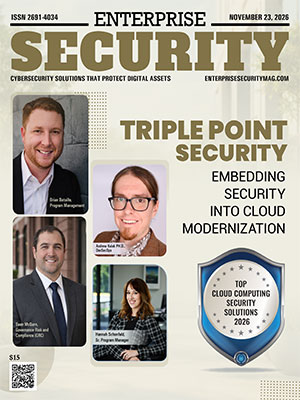
“Triple Point Security uses Terraform-based infrastructure as code and standardized security architectures to apply consistent security controls across different cloud environments.”
Even a well-designed security plan can stall during implementation. Architects may identify the right controls, but engineering teams need clear responsibilities and an agreed sequence of work to put them in place. Defined milestones and regular coordination help keep projects moving. For security programs that run over several years, retaining people with the required technical expertise is equally important.
Triple Point Security provides cloud security architecture, assessments, technology integration and continuous security monitoring. Its zero trust assessment framework identifies gaps in an organization's security maturity and supports implementation plans based on existing infrastructure and security objectives.
Triple Point Security uses Terraform-based infrastructure as code and standardized security architectures to apply consistent security controls across different cloud environments. This helps organizations maintain common security requirements as applications and infrastructure change.
The company combines security telemetry with threat intelligence to support monitoring and incident response. It also works across cloud migration and application refactoring, incorporating security checks into deployment processes through a phased approach.
For enterprises managing hybrid infrastructure or long-term zero trust initiatives, Triple Point Security offers technical expertise alongside structured implementation and project oversight. Its services are suited to organizations that need to coordinate security improvements across cloud platforms, applications and engineering teams. ...Read more
The domain name system (DNS) is a system that maps domain names to an address that computers use to locate a person, a website or an online service. Due to the critical role of DNS in nearly every online interaction, attackers frequently target it to redirect traffic, spread malware or block access to online services. This critical layer needs to be protected for organizations across Latin America and is supported by the increasing online activity in their networks. With the help of technology, security teams can now detect and block suspicious requests, respond to threats better, and detect harmful connections with greater accuracy.
How Is DNS Monitoring Detecting Malicious Traffic?
Threat intelligence plays an important role in strengthening DNS protection by helping security platforms identify requests associated with malicious domains and suspicious web addresses. Organizations can use this information to block potentially harmful connections or alert administrators to emerging risks. In the broader cybersecurity sector, Shield Force provides threat intelligence, continuous security monitoring and incident response services to help organizations detect and investigate suspicious activity. These capabilities complement DNS traffic security solutions by reducing exposure to phishing websites, command-and-control infrastructure and other malicious destinations.
The other noteworthy development is the encrypted DNS technologies. DNS over HTTPS and DNS over TLS help guard against interception of DNS queries on the way. Encryption can complicate network monitoring when organizations lack appropriate controls. The challenge for security teams is to achieve the right level of visibility and privacy through the use of the right policies and the monitoring of encrypted requests as they travel through the network.
GMP Sistemas integrates cloud-based HR management, payroll automation and security controls to support reliable information handling and regulatory compliance.
How Can Organizations Strengthen DNS-Based Protection?
Organizations are using cloud-based security platforms to control DNS protection in a distributed environment. If there are remote workers, branch offices, or cloud applications involved, consistent policies should be established for users, regardless of their connection location. Centralized dashboards enable admins to monitor network activity, manage filtering rules and explore alerts from a centralized interface.
Automation is also helping to speed up incident response. If a domain is detected as suspicious, the platform can have pre-defined rules for blocking and alert the appropriate security team. Automated workflows can enable the containment of threats in a timely manner, while analysts can perform root cause analysis of the activity and decide whether any further action is required. Clear escalation processes are also crucial for organizations that deploy DNS traffic security solutions, as they may need to be reviewed by a human before they are implemented. ...Read more
ON THE DECK