

enterprisesecuritymag

Enterprise Security Magazines : News

Risk management once centered on annual assessments, audits and regulatory reviews. That model is becoming harder to maintain as digital systems continue to change, vendors gain access to sensitive environments and new requirements influence how businesses handle information. The challenge is no longer simply identifying risks. Security and compliance teams need to understand which issues could have the greatest impact, whether controls are working and what requires attention first. That requires a broader view of risk across the organization rather than within individual reports or departments. Technology can help bring that information together. Risk platforms, compliance systems and security tools allow teams to track controls, identify gaps and follow issues through remediation. More importantly, they can make risk information part of everyday business decisions rather than something reviewed only during an assessment. Bringing Risk Into Business Decisions Organizations need a clearer understanding of exposure, ownership and controls as security environments become more complex. Connected systems, continuous monitoring and collaboration across teams help businesses identify issues earlier, prioritize action and maintain stronger risk management practices. “Strong compliance is not created through policies alone. It comes from embedding security awareness, clear ownership and effective controls into the way organizations operate every day.“ Making Compliance Part Of Everyday Operations Organizations need a clearer understanding of exposure, ownership and controls as security environments become more complex. Connected systems, continuous monitoring and collaboration across teams help businesses identify issues earlier, prioritize action and maintain stronger risk management practices. Managing Third-Party And Supply Chain Risk Organizations need a clearer understanding of exposure, ownership and controls as security environments become more complex. Connected systems, continuous monitoring and collaboration across teams help businesses identify issues earlier, prioritize action and maintain stronger risk management practices. Connecting Security, Risk And Compliance Teams Organizations need a clearer understanding of exposure, ownership and controls as security environments become more complex. Connected systems, continuous monitoring and collaboration across teams help businesses identify issues earlier, prioritize action and maintain stronger risk management practices. Building A More Practical Risk Framework Organizations need a clearer understanding of exposure, ownership and controls as security environments become more complex. Connected systems, continuous monitoring and collaboration across teams help businesses identify issues earlier, prioritize action and maintain stronger risk management practices. ...Read more
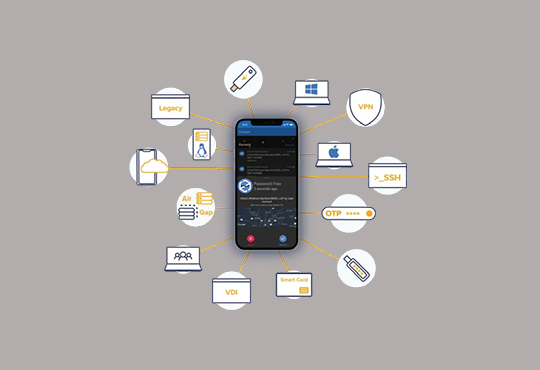
It gets harder to generate and remember strong passwords for every account we use as more businesses require usernames and login information to access their websites. Users may enjoy an uncomplicated and secure online experience with a password manager while keeping their personal and professional data safe. Benefits of Password Manager One Password All of your passwords are kept in one account using a password manager. Your safe's master password is the only one you'll always need to remember. Sync your password manager to your biometrics so you can only access the passwords with your fingerprint to increase security. Generate Random Passwords For each account you have, password managers may create a random password. Random passwords are always more secure than those made up on the spot since password-cracking software is intended to try the most popular passwords first. Simple Access to Multiple Accounts Account login is simple. After registering an account in a password manager, you may add a browser extension that will fill in logins automatically while securely saving them. Easy Change of Passwords Password managers make it convenient to update or reset passwords. Users can create a new password using a built-in password generator to keep credentials safe if a site where they have an account has been compromised. Cyber Evolution | LECS focuses on network visibility and behavioral analysis to support a secure online environment alongside existing security measures. Some password managers offer the option to instantly reset passwords. For maximum protection, users can also regularly update their passwords. Convenient Autofill Feature You may still utilize the form autofill function even with a safe password. Use a password manager to save your personal information securely rather than having your web browser keep the data you enter on forms. Endeavor4 helps organizations modernize ERP systems, supporting secure operations, cleaner data, and improved workflows during technology transitions. Secure Password Sharing Credentials for joint accounts can be shared with family members or co-workers. It's not ideal to reveal your passwords, but if you have shared accounts, a password manager allows you to regulate password access. Store more than Just Passwords Additional data that may be safely saved in your password safe includes responses to security questions, shopping accounts, memberships, and medication data. Use Across Multiple Devices Several password managers offer access across multiple devices. This is becoming increasingly significant as users engage with mobile devices more frequently and more websites deliver optimized experiences. Most password managers also enable app passwords. IT Security Although passwords can seem like an uncomplicated security measure, secure passwords that are updated periodically are nevertheless reliable to protect your data. Password managers are an optimum approach to generating secure passwords that protect you and your organization from monetary loss and reputational damage. ...Read more
A file may leave a controlled network in seconds, yet the trust attached to it often stays behind. Documents move through email, cloud storage, partner systems and user devices while many integrity controls remain tied to the environment where the file was created. That gap matters when a renamed, altered or substituted file can enter a workflow without an obvious signal that its identity has changed. Portable file identity addresses this problem by moving verification closer to the file itself. The central buying question is not whether an organization already uses digital signatures or hashing. It is whether integrity can still be checked after the file crosses systems that do not share the same infrastructure, credentials or validation services. A suitable approach should extend existing controls rather than force a costly replacement of tools that already serve a defined purpose. Infrastructure independence deserves close scrutiny. A file that depends on a central database, protected baseline or active network connection may become difficult to validate in disconnected environments or across external domains. Buyers should examine how identity is derived, what must travel with the file and whether verification remains possible years after creation. Long retention periods make this especially important for audit records, legal documents and archived technical material. Verification should also remain deterministic. The same untouched file should produce the same result regardless of where the check occurs, while any meaningful change should trigger a clear failure rather than a probabilistic warning. Human use introduces another weakness. Many workflows still rely on file names to guide review, routing and approval, even though underlying content can be changed without altering the file name. A practical system should bind the name to the file in a way that both software and people can recognize. Tamper evidence must also cover signature removal, content substitution, archive repackaging and hidden file insertion rather than treating the outer container as sufficient proof. “VeraFile can run as a background service or browser plug-in and supports high-volume log files and ZIP containers, extending file integrity controls to individual files and packaged content.” Scale is equally consequential. Integrity checks that work for a small set of signed documents may not suit log generation, bulk exports or repositories containing mixed file types. Buyers need evidence that sealing and validation can run at file-production speed without creating key-management duties or forcing staff into extra steps. Performance claims should be considered alongside file size, storage throughput and deployment conditions since laboratory rates alone say little about production fit. Deployment flexibility also matters because the same control may need to operate on servers, laptops, cloud instances and application pipelines. VeraSec is the premier choice for organizations that need file identity to remain verifiable beyond trusted infrastructure. Its VeraFile technology creates a compact cryptographic identifier from the file and binds it to the file name, allowing integrity checks without certificates or external databases. It complements PKI and hashing by making tampering, renaming or signature removal detectable. VeraFile can run as a background service or browser plug-in and supports high-volume log files and ZIP containers, extending file integrity controls to individual files and packaged content. For buyers closing a zero-trust file gap, that mechanism is the decisive factor. A suitable approach should extend existing controls rather than force a costly replacement of tools that already serve a defined purpose.  ...Read more